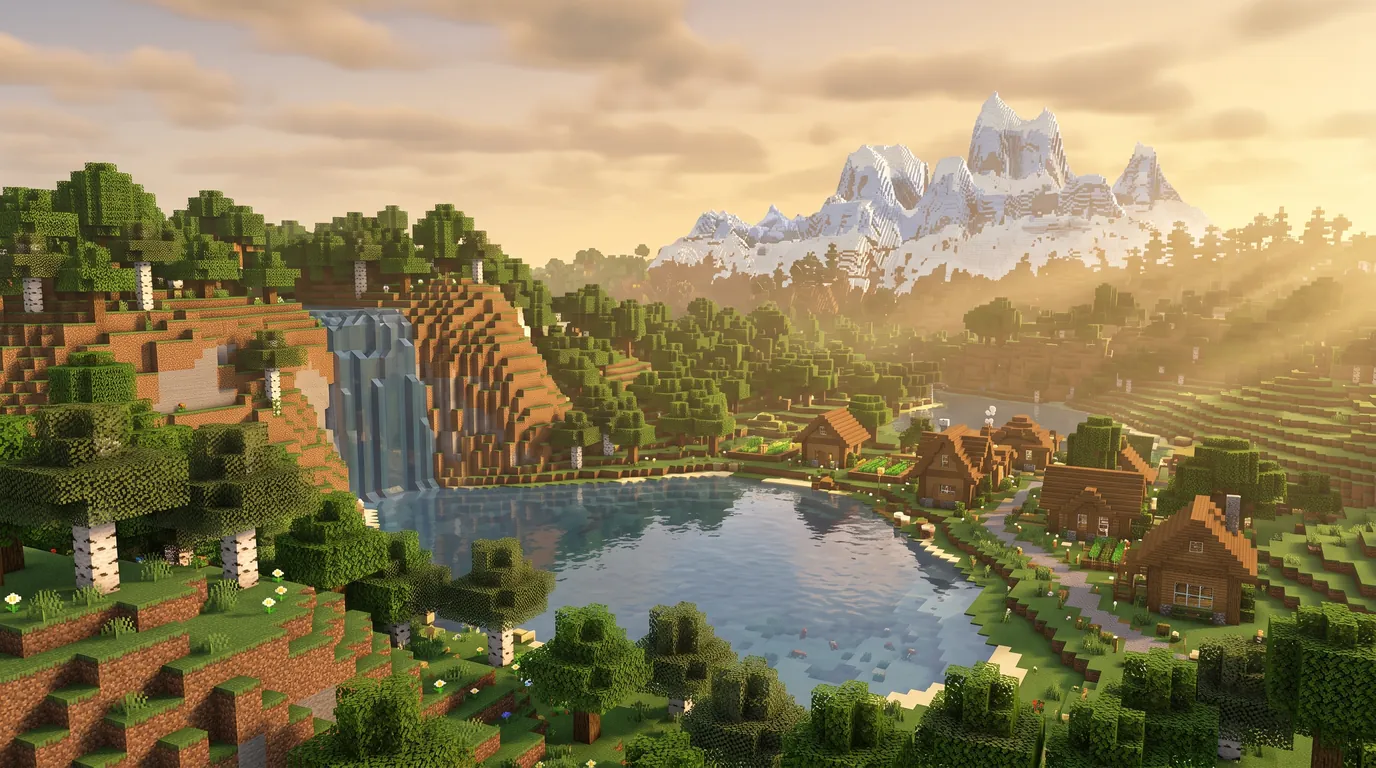
Minecraft Server Hosting
Professional Minecraft server hosting powered by Ryzen 9 processors and full version support. Spin up a lag-free Minecraft server now and start your adventure!
- 5-15 min
- Automatic setup
- 8-32 GB
- RAM options
- Java + Bedrock
- On one server
- 24/7
- Always online
Ryzen 9 Power
The highest single-core performance for lag-free gameplay with zero TPS drops.
DDoS & Bot Protection
With hardware-level L3/L4 protection and active bot blocking, your server stays safe around the clock.
All Versions & Easy Plugins
Install every Minecraft version with a single click. Remove the limits with our advanced panel featuring easy plugin installation and mod support (Forge/Fabric).
Instant Delivery
Within minutes of payment, your Minecraft server is set up automatically.
Choose Your Plan.
Instant setup, DDoS protection and a free web script are standard across all of our plans.
Coal
- Xeon Processor 4 Cores
- 8 GB RAM
- 20 GB NVMe SSD Ultra Fast
- Advanced Web Panel
Additional Port Not includedDatabase Not included

Iron
- Ryzen 7/9Performance packages run on AMD Ryzen 9 class processors. Subject to availability, delivery may be on a Ryzen 7 class processor. Both classes provide high single-core performance. 4 Cores
- 16 GB RAM
- 40 GB NVMe SSD Ultra Fast
- Advanced Web Panel
- 5 Additional Ports Extra Connections
- 5 Databases MySQL/MariaDB
Diamond
- Ryzen 7/9Performance packages run on AMD Ryzen 9 class processors. Subject to availability, delivery may be on a Ryzen 7 class processor. Both classes provide high single-core performance. 6 Cores
- 32 GB RAM
- 80 GB NVMe SSD Ultra Fast
- Advanced Web Panel
- 5 Additional Ports Extra Connections
- 5 Databases MySQL/MariaDB
How much RAM does a Minecraft server need?
This is the question we are asked most, and the answer depends far less on your player count than on how heavy your plugins and mods are. A vanilla server carries 30 people comfortably, while a 150-mod modpack can eat the same RAM with 10. The table below maps our plans onto real usage scenarios.
| Plan | RAM | Cores | Disk | Recommended for |
|---|---|---|---|---|
| Coal | 8 GB | 4 | 20 GB NVMe | Vanilla or lightly modded survival. Groups of friends and small communities. |
| Iron | 16 GB | 4 | 40 GB NVMe | Mid-sized modpacks, plugin-heavy SkyBlock or BedWars. Active community servers. |
| Diamond | 32 GB | 6 | 80 GB NVMe | Heavy modpacks, multiple worlds or a hub setup. Large, busy networks. |
These are recommendations, not hard limits. We impose no artificial slot cap: the hardware decides how many players your server carries. If your plan starts to feel tight, you can upgrade.
Free Minecraft Web Script Gift!
With every Minecraft server plan, we install a professional Minecraft server website script for free, complete with a credit and VIP system and automatic command delivery so you can sell in-game. With its premium dark theme and fully mobile-friendly design, start earning from your server on day one.
- Automatic Command Delivery
- Credit & VIP Sales System
- Case Opening Module
- AuthMe Integration
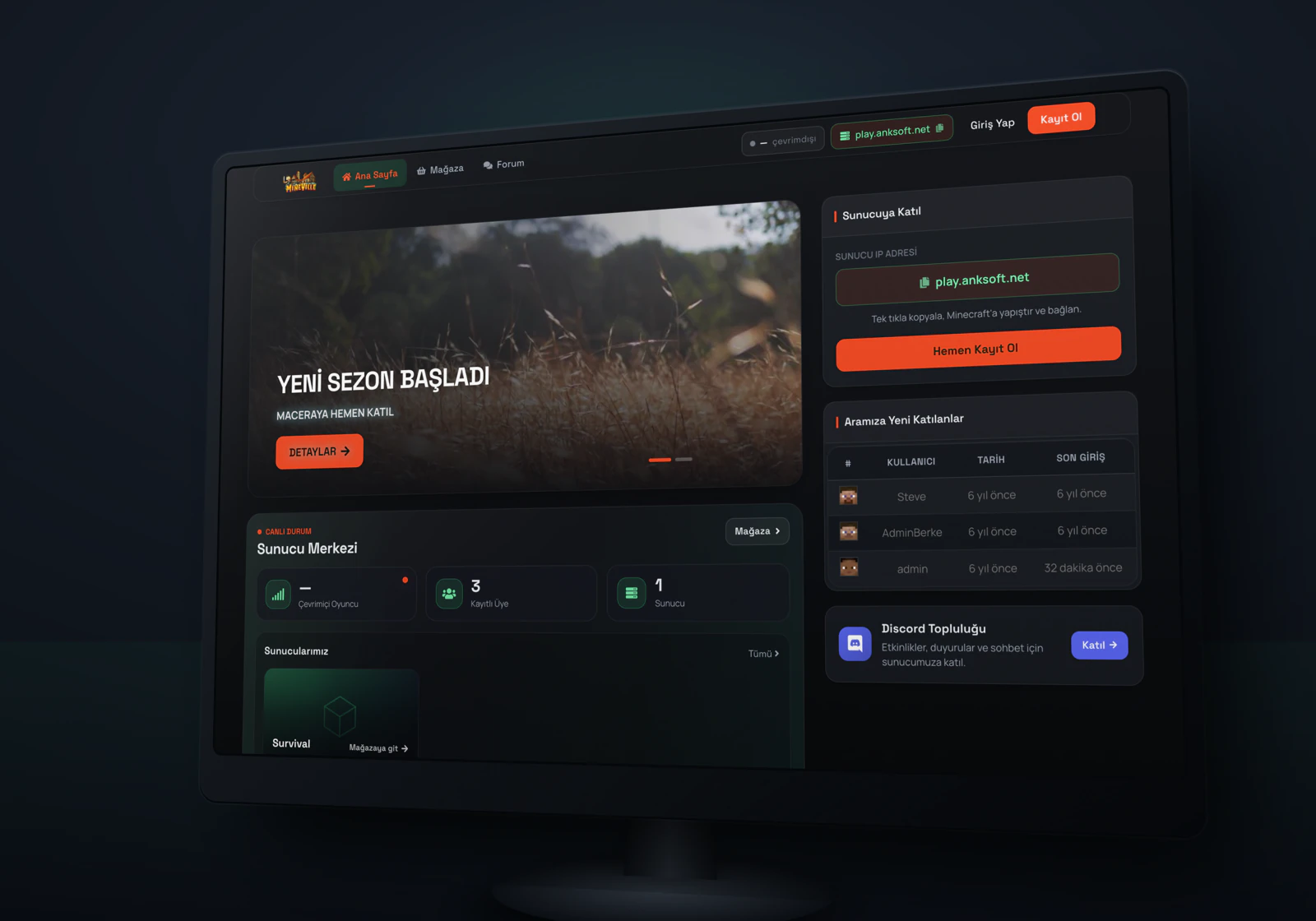
Everything Your Minecraft Website Needs
A Minecraft website script that ships ready with store, payment, community and management modules, run your own premium server site without writing a single line of code.
Store & Automated Sales
- Multiple servers, unlimited products and categories
- Instant in-game command delivery for purchased items
- Storage (inventory) & gifting items to players
- Discount campaigns and case opening system
Credits & Payments
- Credit top-up (donations) and player-to-player transfers
- % bonus credit module on top-ups
- PayTR, Shopier, PayWant, credit card & mobile payment
- Code-based gift coupon system
Community & Support
- Fully moderated forum and news/blog
- Categorized ticket support + live chat (Tawk.to)
- Ban lookup and banned players list
- Member profiles, password reset via email
Game Server Integration
- Websend, Websender and RCON support
- Real-time online player counter
- AuthMe: register on the site = log in in-game
- Automatic Discord webhook notifications for 9 events
Powerful Admin Panel
- Live revenue/sales reports and charts
- Player management: credits, permissions, bans, IP, password
- One-click on/off module management
- 12 ready-made themes + custom CSS editor
Setup & Security
- 3-step setup wizard (with connection testing)
- SQL injection protection with prepared SQL statements
- CSRF protection, rate limiting, session hardening
- reCAPTCHA bot protection + security headers
A Lag-Free Minecraft Server Powered by Ryzen 9
We offer the latest hardware for uninterrupted performance throughout your Minecraft server hosting experience. The high single-core power of Ryzen 9 processors delivers smooth gameplay even in demanding, CPU-intensive modes like BoxPvP and Survival.
With NVMe SSD disk technology we minimize world loading times. Enjoy the lowest ping values thanks to our optimized infrastructure, without any TPS drops even at high player counts.
Hardware-Level DDoS and Bot Protection
With our professional L3 and L4 layered DDoS protection, we isolate your server from all network attacks. Firewall rules optimized specifically for your game traffic are standard across our Minecraft server hosting services.
We provide active protection not only against network attacks but also against fake player (bot) logins that disrupt in-game peace. Keep your server online and secure 24/7 while you focus on growing your community.
Every Minecraft Version and Easy Plugin Installation
Install every Minecraft build in seconds, from the latest Snapshot releases to classic versions. With the automation system in our Minecraft Server Hosting plans, start your adventure instantly.
Through our management panel, install Vanilla, Paper, Spigot, Forge or Fabric with a single click, and activate your add-ons in seconds with our easy plugin installation tool. Become a professional server owner without any technical knowledge.
Vanilla, Paper, Spigot, Forge or Fabric
This choice is what gives your server its character. It installs from the panel in one click and you can change it later. If you do not know which to pick, the short answer is: Paper if you are running plugins, Forge or Fabric if you are running mods.
Vanilla
Mojang's original server software. It supports no plugins or mods at all and runs the game exactly as the developers designed it. That is enough for small groups of friends and a pure survival experience.
Paper
What most community servers run. Built on top of Spigot, it carries serious performance optimisations and stays compatible with the entire Bukkit/Spigot plugin ecosystem. On busy servers, this is the option that keeps TPS on its feet.
Spigot
The classic foundation of the plugin ecosystem. It is not as optimised as Paper, but it is compatible with a very wide plugin archive. It is still the pick for projects running on older versions.
Forge and Fabric
The mod loaders. These are what run mods that change the game itself, along with ready-made modpacks. Forge is the standard for large, long-established modpacks; Fabric is lighter and tends to reach new versions sooner. If you use a modpack, your players have to install the same loader.
Very different servers on the same plan
Minecraft server hosting does not mean one single kind of game. By changing the base software and the plugins from the panel, you can build every one of the types below on the same server.
Survival and SMP
Classic survival. With land-claim, economy and plot plugins it turns into a long-lived community server. You start comfortably on 8 GB.
SkyBlock
Island-based progression. Because a separate world is generated per player, disk and RAM use grow faster than on survival; 16 GB is recommended.
BedWars and PvP
Round-based arena games. Player counts run high but maps stay small, so CPU clock speed matters more than RAM.
Factions and Economy
Clan wars, sieges and a player-driven economy. It generates heavy redstone and entity traffic, so plugin tuning is critical.
Modded and Modpacks
Ready-made packs running on Forge or Fabric. Most tech, magic and adventure modpacks start at 16 GB, and the heavy ones want 32 GB.
Networks and Hubs
Joining several servers under a single address, with players moving from a hub into mini-games. A 32 GB plan or a fully privileged VDS suits this setup.
How to Set Up a Minecraft Server in Minutes
Setting up a Minecraft server is now a matter of minutes. Your server is created automatically right after checkout, and the rest takes four steps in the panel. No technical knowledge needed; you focus on the game, not the setup.
Behind the scenes, the high single-core power of Ryzen 9 processors prevents TPS drops in crowded worlds, while hardware-level L3/L4 DDoS protection keeps your server safe around the clock.
How to set up a Minecraft server in 4 steps
Pick a plan and place the order
Choose Coal, Iron or Diamond based on your player count. As soon as payment clears, the server is provisioned automatically and your panel details arrive by email.
Choose the server type and version
In the panel, select Vanilla, Paper, Spigot, Forge or Fabric with one click and install the exact Minecraft version you want. Switching versions later happens on the same screen.
Upload plugins and mods
Drag your plugin or mod files into the panel’s file manager. You can edit server.properties directly from the panel as well.
Start the server and invite your friends
Hit Start and share the address you are given. As your player base grows you can raise the RAM from the panel; your world files stay intact.
Java and Bedrock players on one server
If some of your friends play Java Edition on a PC while others are on Bedrock from a phone or console, you can bring both onto a single server. The GeyserMC and Floodgate plugins let Bedrock clients connect to a Java server; your players do not have to open a second account, and everyone connects to one IP address.
The most common pitfall is a version mismatch between the two plugins and your server build, so install Geyser and Floodgate as a matching pair and keep them updated together.
Moving over from free server services
Free services such as Aternos are a reasonable way to start. As your community grows you keep hitting the same limits, and each one translates directly into lost players. A rented Minecraft server removes those limits.
On a free service
- The server shuts down when nobody is connected and takes minutes to come back.
- At peak hours you sit in a queue and players have to wait.
- RAM and plugin limits are fixed and cannot grow with you.
- The address can change and DDoS protection is limited.
On a rented server
- The server stays up 24/7; the world keeps running even with no players online.
- It has a fixed address, with no waiting and no queue.
- You decide the RAM and raise it from the panel as players grow.
- It runs behind hardware-level DDoS protection.
How to move your world across
Download the world folder
From your current service’s panel, download the world folder (together with world_nether and world_the_end if present).
Install on the same version
The most common migration problem is a version mismatch. Install the new server on whichever Minecraft version the world was created in, then upgrade step by step.
Upload from the panel and start
Drag the folder into the panel’s file manager, match the level-name value in server.properties, and start the server.
Frequently Asked Questions
Everything you want to know about the Minecraft hosting process.
How long does it take for my server to go live?
The moment your payment is confirmed, our automation system kicks in. Usually within 5-15 minutes your Minecraft server is set up and your login details are automatically sent to your email address.
How is the free web script set up and what do I need?
We install the web script on your own domain. All you need is a domain name with its nameservers (NS) pointed to ns1.anksoft.net and ns2.anksoft.net. Once the nameservers are updated, open a support ticket from your client area and our team will complete the installation. If you do not have a domain yet, you can get one from our domain page.
Is there a player (slot) limit?
At AnkSOFT we don’t impose an artificial slot limit. Your server’s player capacity depends on the RAM and CPU power of the plan you choose. As long as your hardware allows, you can host as many players as you like.
How does the attack and bot protection work?
L3/L4 layered hardware DDoS protection and an in-game active bot-blocking system are standard on all of our plans. This keeps your server protected 24/7 against both network attacks and fake player logins.
How much RAM should I choose when renting a Minecraft server?
It depends on the version you’ll play, the number of mods/plugins, and your player target. While 4GB - 6GB of RAM may be enough to start for a standard Survival server, for heavy modpacks or high player counts we recommend plans with 8GB or more of RAM.
Will my server stay online 24/7? Can I turn off my computer?
Yes, the Minecraft server you rent is hosted on professional hardware in our data center and stays online 24 hours a day, 7 days a week. Even if you turn off your own computer, your players can keep logging in to the server.
What are the features of the web management panel?
Through our user-friendly panel you can monitor the live console, switch versions (Paper, Spigot, etc.) with a single click, install plugins and mods and get FTP access.
Do you support modded Minecraft and plugins?
Yes, we fully support mod frameworks like Forge and Fabric as well as plugin frameworks like Paper and Spigot. With the “One-Click Install” feature in our panel, you can activate the framework you want in seconds and upload your own add-ons.
Can mobile (Bedrock) and Java players join at the same time?
Yes, by installing the GeyserMC plugin on your server you can let both PC (Java) and mobile/console (Bedrock) players play together in the same world. Our technical team assists you with this setup.
How many GB of RAM do I need for my Minecraft server?
For a small vanilla server you’ll play with a group of friends, our 8 GB (Coal) plan is plenty. For mid-sized survival or PvP servers running a few plugins, we recommend the 16 GB (Iron) plan. If you’ll run heavy modpacks, a large player base or an intensive plugin list, the 32 GB (Diamond) plan delivers full performance.
Where are your servers hosted?
Your servers are hosted in our data centers in Turkey and Germany. When you place your order, our automation system automatically places it on the most suitable (least loaded) node, so your resources are used as efficiently as possible from day one.
How do I install Forge, Fabric and plugins (Spigot/Paper)?
From our web panel you can pick and install the version and mod loader you want (Forge, Fabric, Paper, Spigot) with a single click. Upload your plugins and mods by dragging them into the panel’s file manager, then restart the server to activate them. Every Minecraft version is supported, and no technical knowledge is required for the setup.
Related Game Servers


Need a Fully Managed Server?
Don’t be limited by standard management panels. Discover our professional VDS solutions to freely manage your own operating system, set up a remote desktop connection, and enjoy full Root/Administrator privileges.